



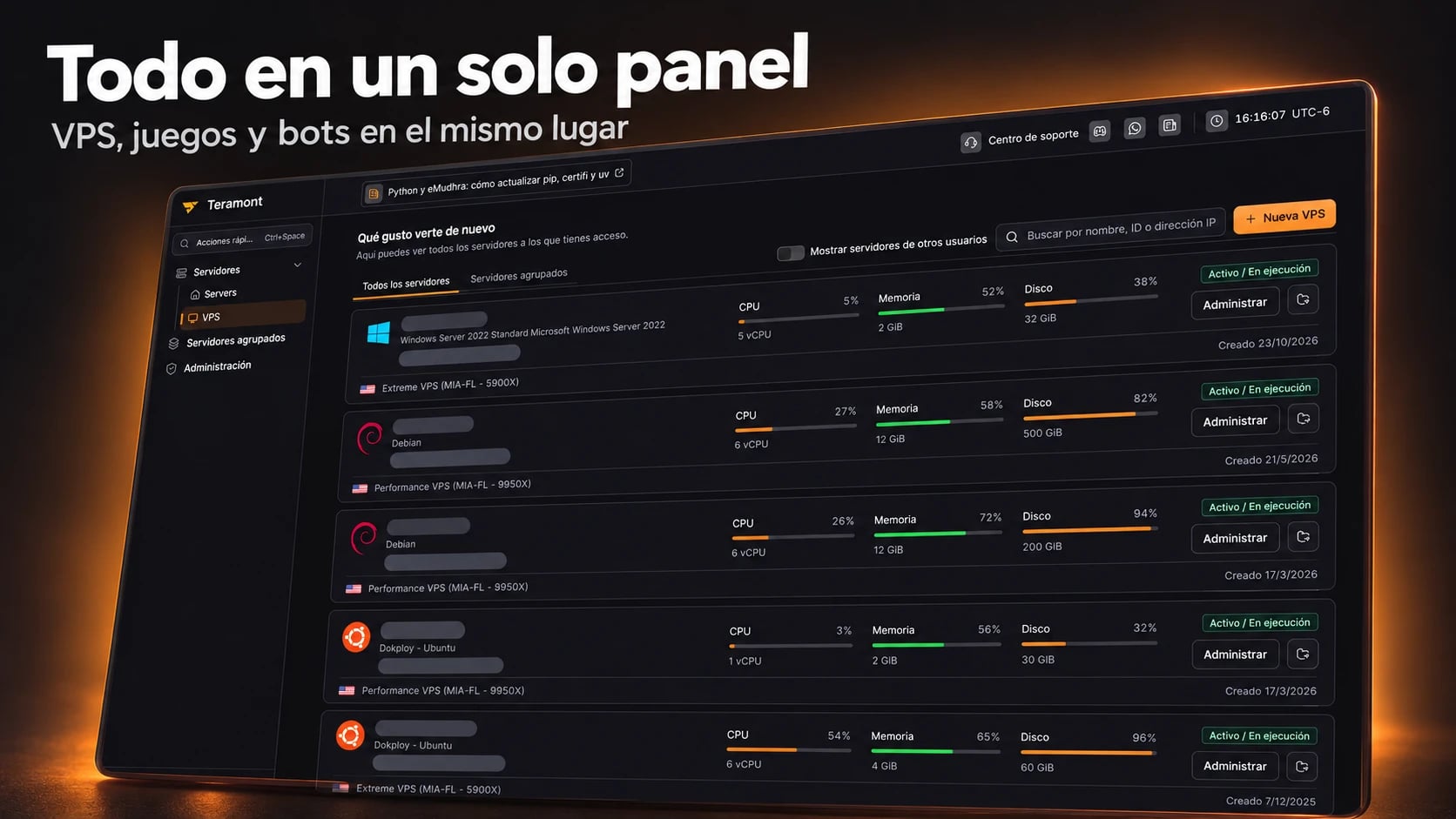
We have completely renewed Teramont’s VPS and virtual machine management panel. You can now manage your VPS, Minecraft, Palworld and Rust servers, and Discord bots in one place, without switching between control panels.
This is part of our 2026 improvements. We are building our own management experience to stop relying on an external panel for VPS administration. This gives us more freedom to adapt features to our customers’ needs and improve administration at our own pace.
The result is a cleaner, faster interface with consistent navigation and management tools in one place.
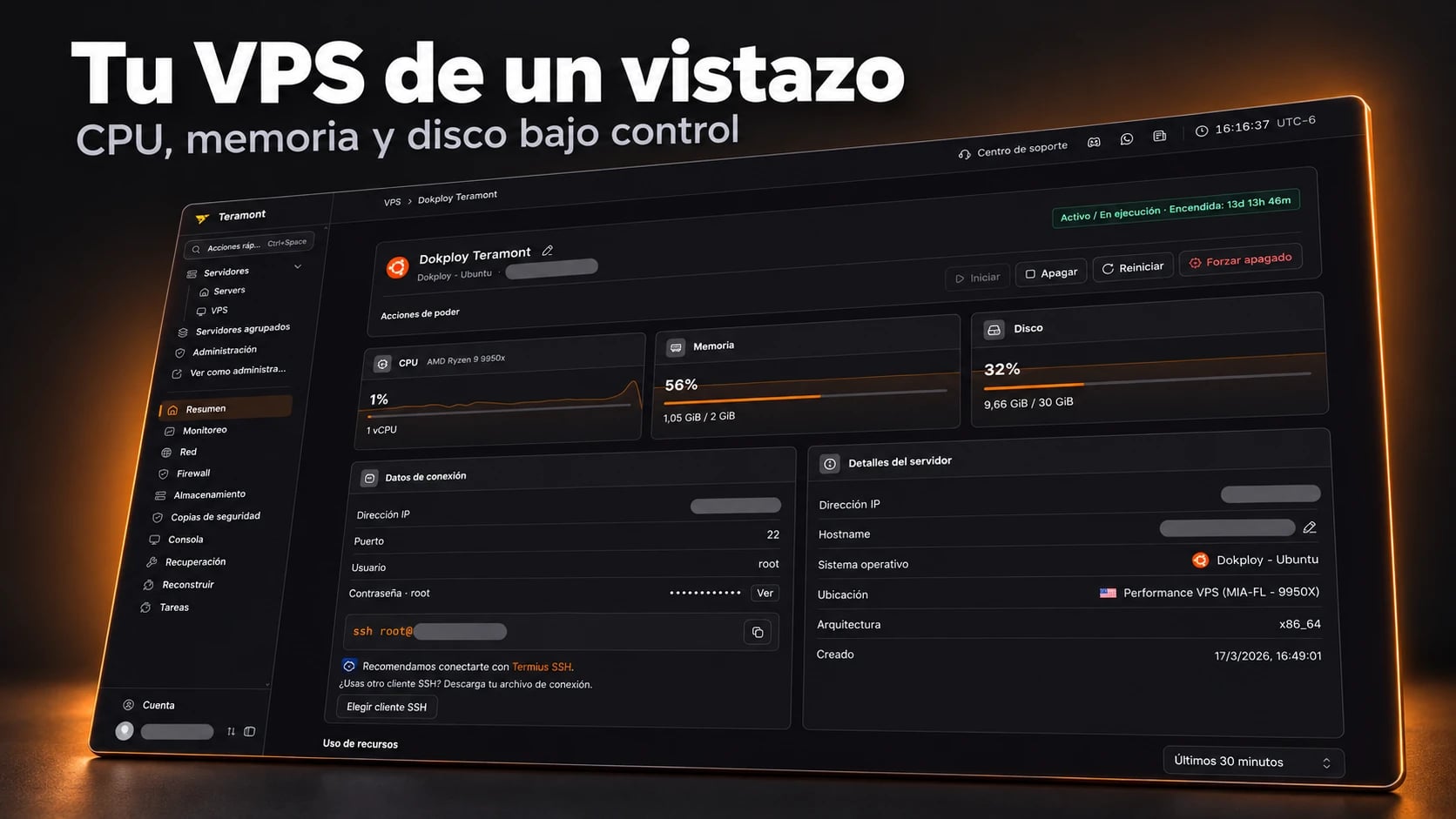
Overview: your VPS at a glance
The overview brings together CPU, memory and disk usage, machine status and connection details. You can also start, shut down or restart your VPS from here.
Check whether your server is running, how much memory it uses and how much disk space remains without searching through multiple pages.
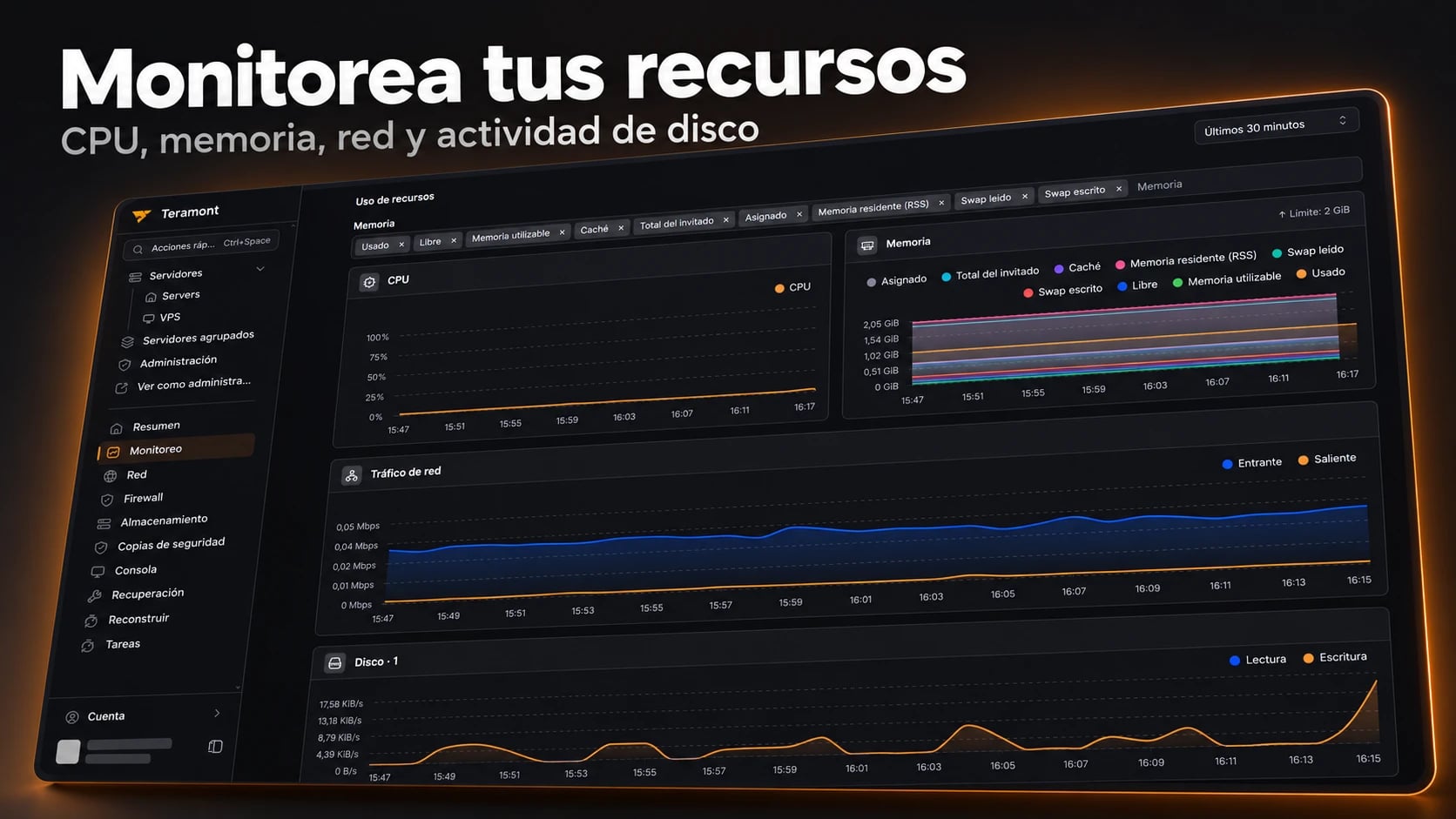
Monitoring: understand resource usage
The monitoring section displays CPU, memory, network traffic and disk activity charts. You can inspect usage over the selected period and choose which memory metrics to display.
Use these charts to spot peaks while running an application, updating your server or welcoming more players. Identifying the cause may also require checking your system processes and logs.
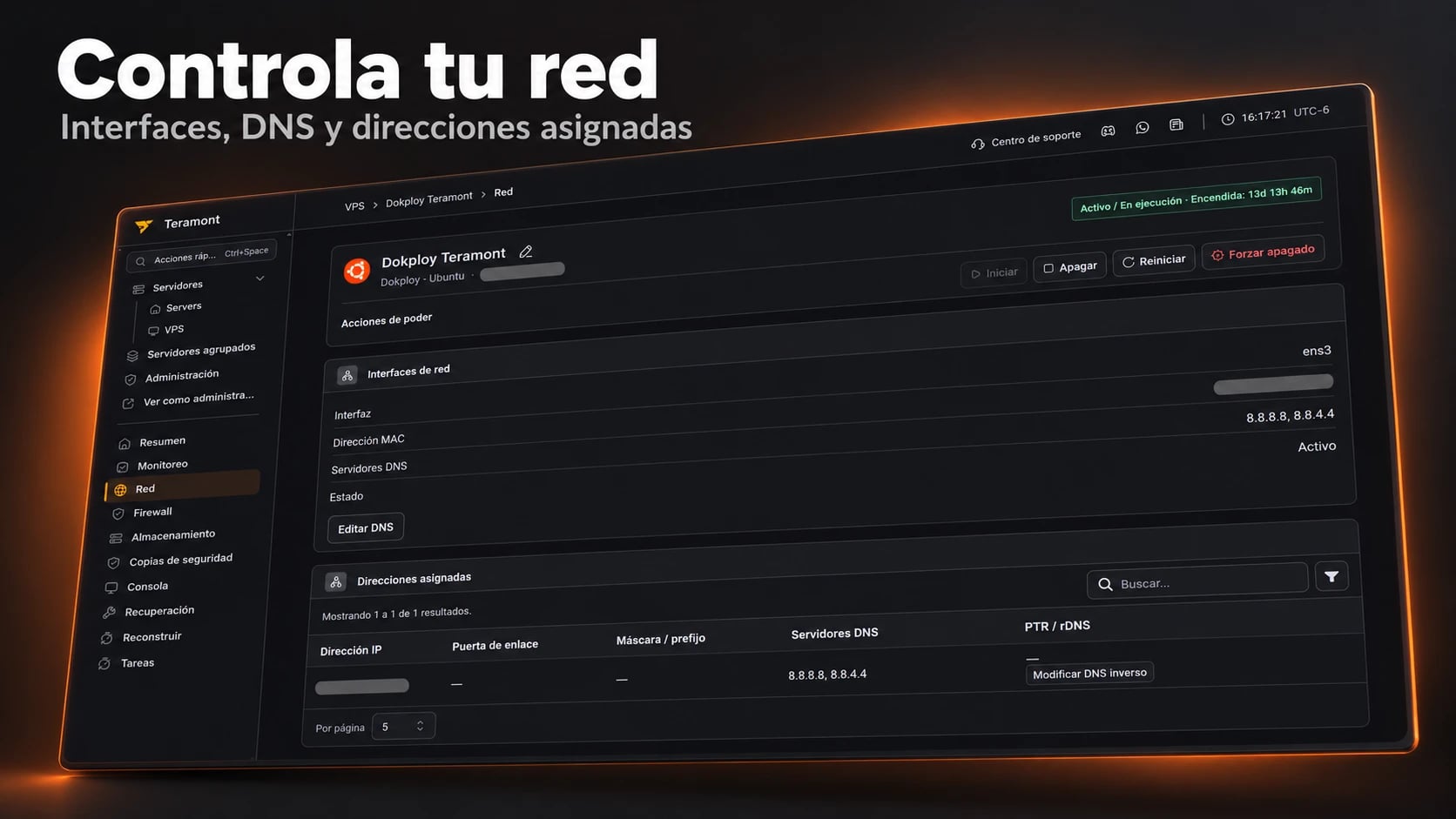
Network: interfaces and DNS in one place
Review your VPS network interfaces, their status and assigned addresses. The panel also provides access to DNS editing and the reverse DNS —PTR or rDNS— settings shown in the interface.
Your connectivity information is available alongside the machine’s other management tools.
Firewall: allow or block ports
Manage your VPS firewall directly from the panel: enable custom rules, allow or block inbound and outbound traffic, and specify protocols, ports or ranges, and addresses or subnets.
You can assign priorities and enable or disable individual rules. Review your changes and select Apply firewall when ready.
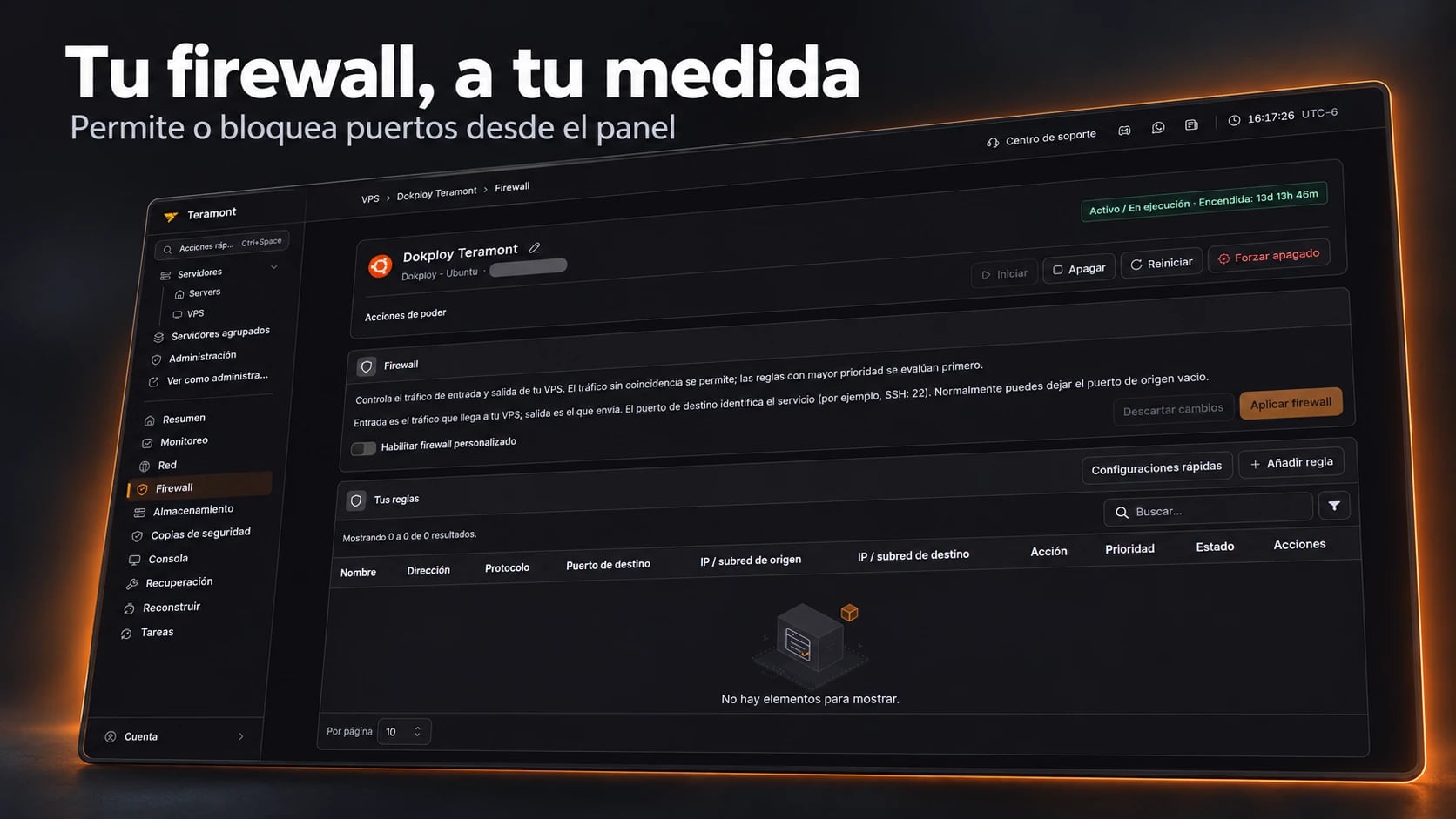
Quick firewall configurations
Quick configurations cover scenarios such as SSH access, Remote Desktop, public websites, web traffic through Cloudflare, blocking ping and blocking outbound SMTP.
These add rules to a draft for review before application. Each has a specific scope: allowing SSH alone does not block all other traffic. Keep the access you need to administer your VPS allowed.

Custom rules for more control
Create a rule specifying traffic direction, action, protocol, IP version, destination port and optional source or destination filters.
Adapt access to your application or server from the same interface you use to monitor your VPS.
All your servers, one panel
Sign in with Teramont Billing to manage your VPS, game servers and bots in one place.


Storage: clear disk information
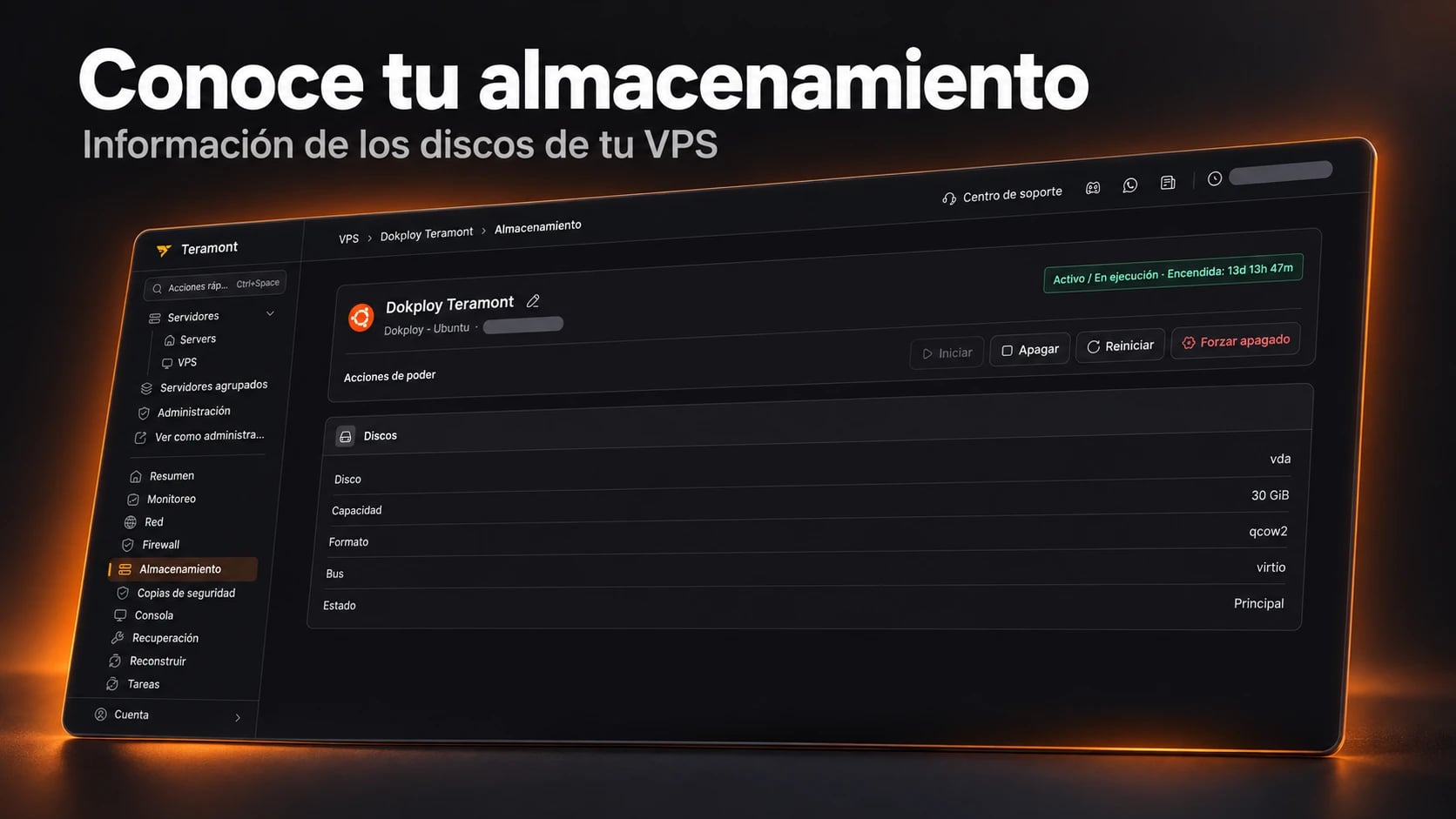
The storage section brings together disk capacity, format, bus and status so you can review how storage is presented to your virtual machine.
Backups: review and restore
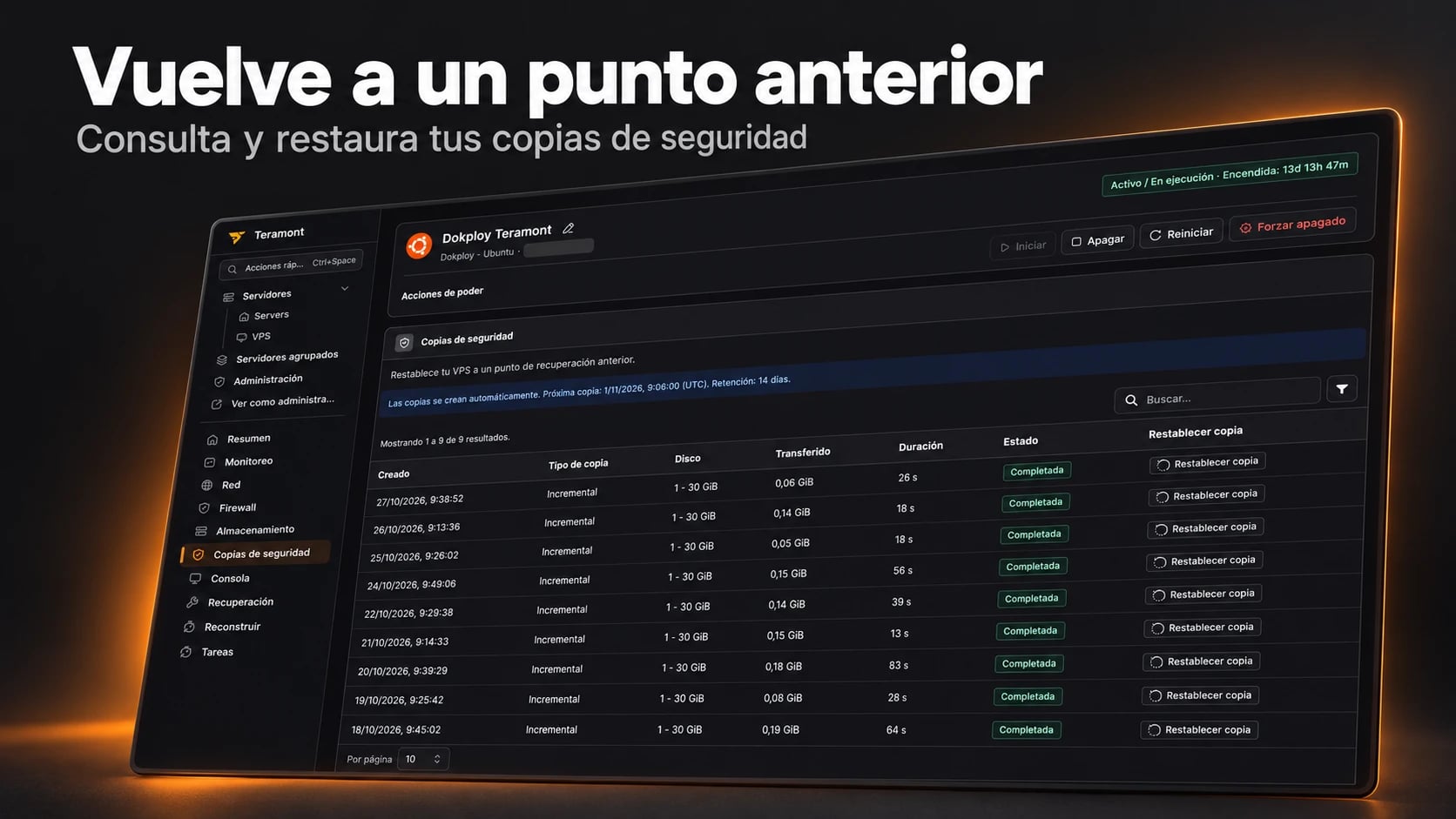
Review available recovery points and restore an earlier backup. The backup view shows creation time, backup type, disk, transferred data, duration and status.
For services with automatic backups, the panel displays scheduling and retention. Check your service’s terms: the dates and retention shown in the screenshot belong to the example machine.
Before restoring, select the correct recovery point and preserve any recent changes you need, as restoration returns to the selected backup’s state.
Improved console and VNC access
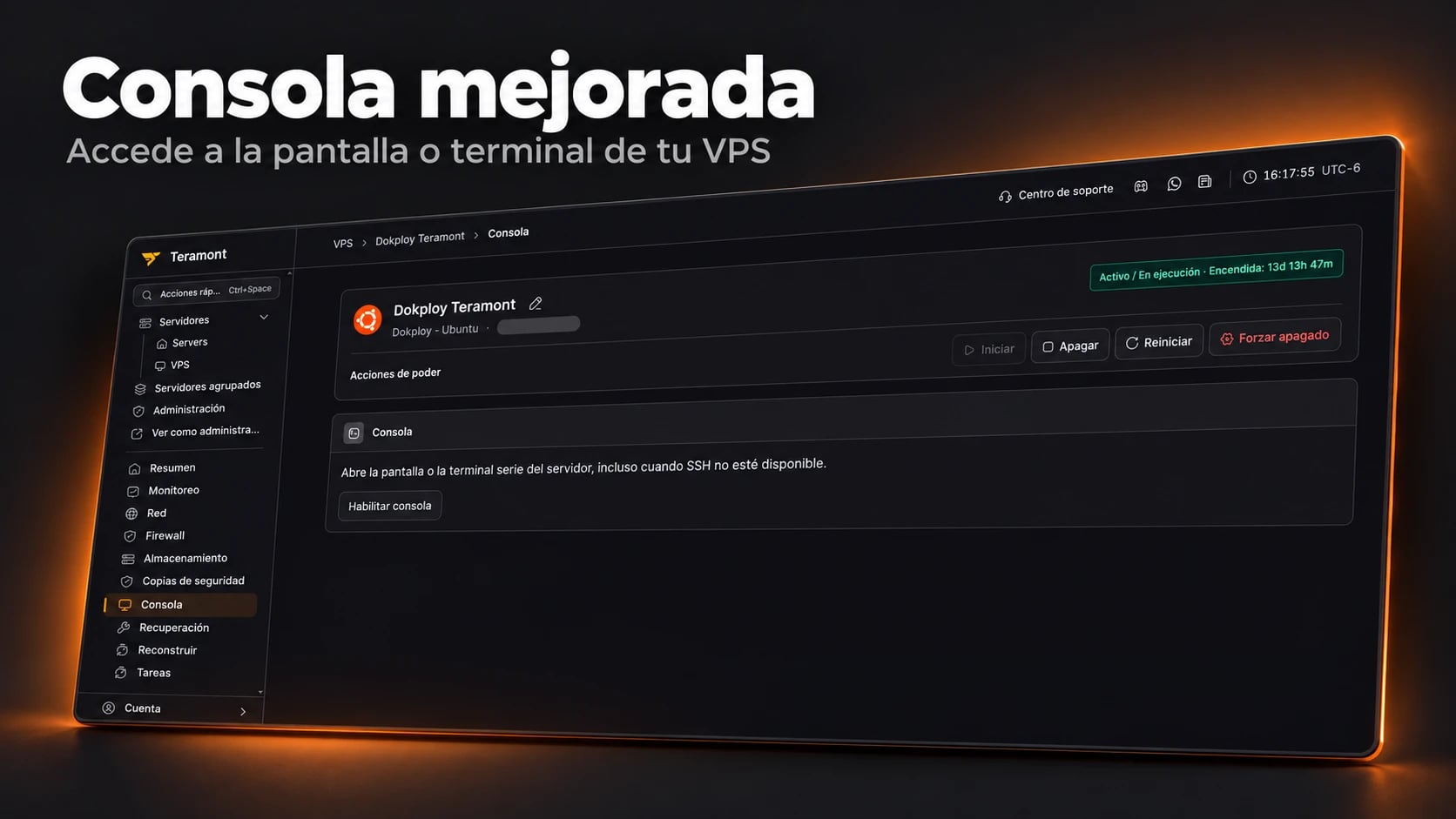
We improved the console experience, including VNC, so you can access your VPS screen or serial terminal through your browser, even when SSH is unavailable.
Enable the access available for your machine from the Console section. This helps you inspect startup or investigate access issues without relying solely on SSH.
Recovery: regain control
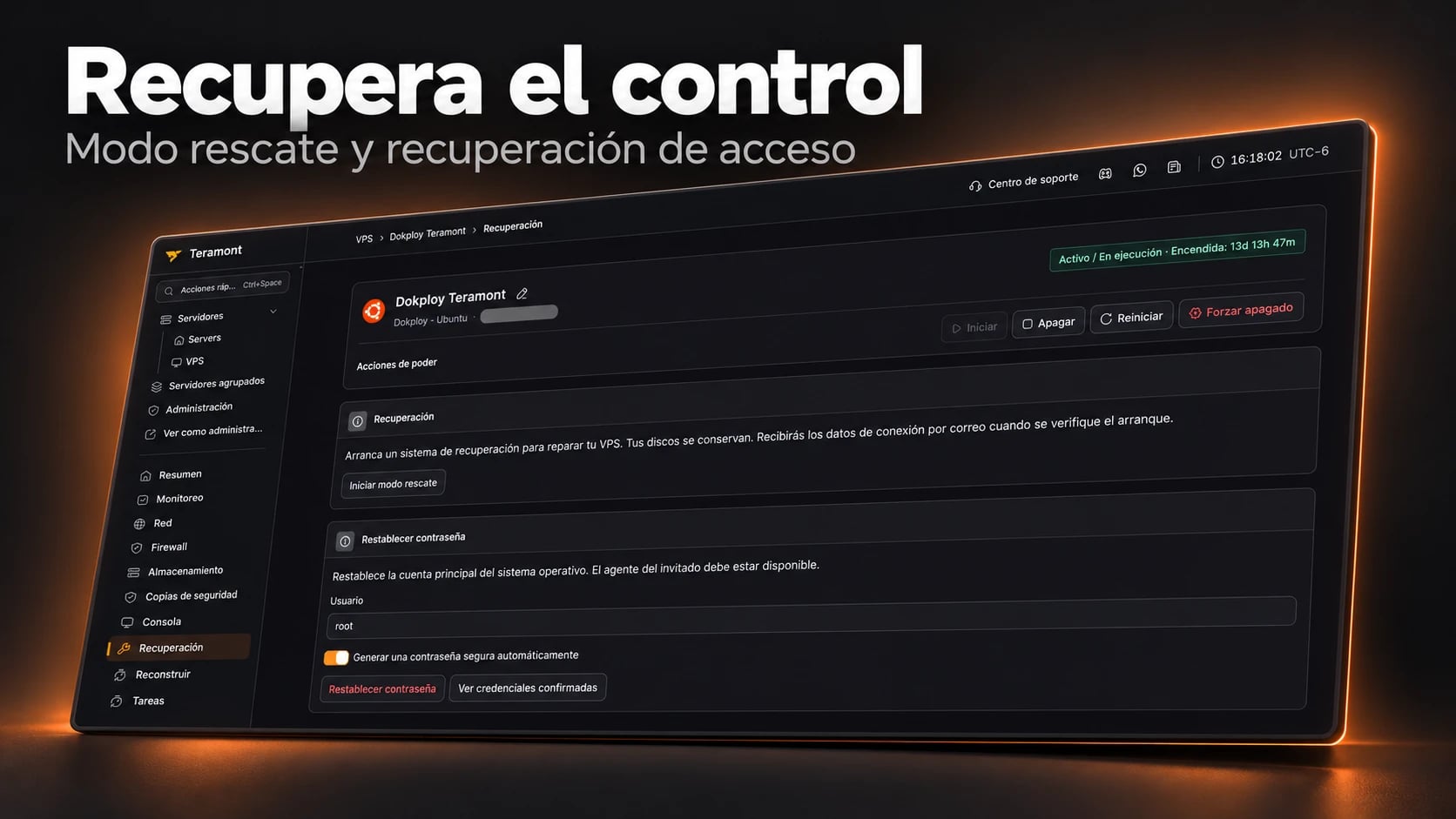
The recovery section brings together rescue mode and access recovery options. Rescue mode boots a recovery environment to repair the VPS while preserving its disks; connection details are emailed once startup has been verified.
You can also reset the operating system’s main account password when the guest agent is available. These tools share the same navigation as monitoring, networking and the console.
Rebuild: reinstall from the panel
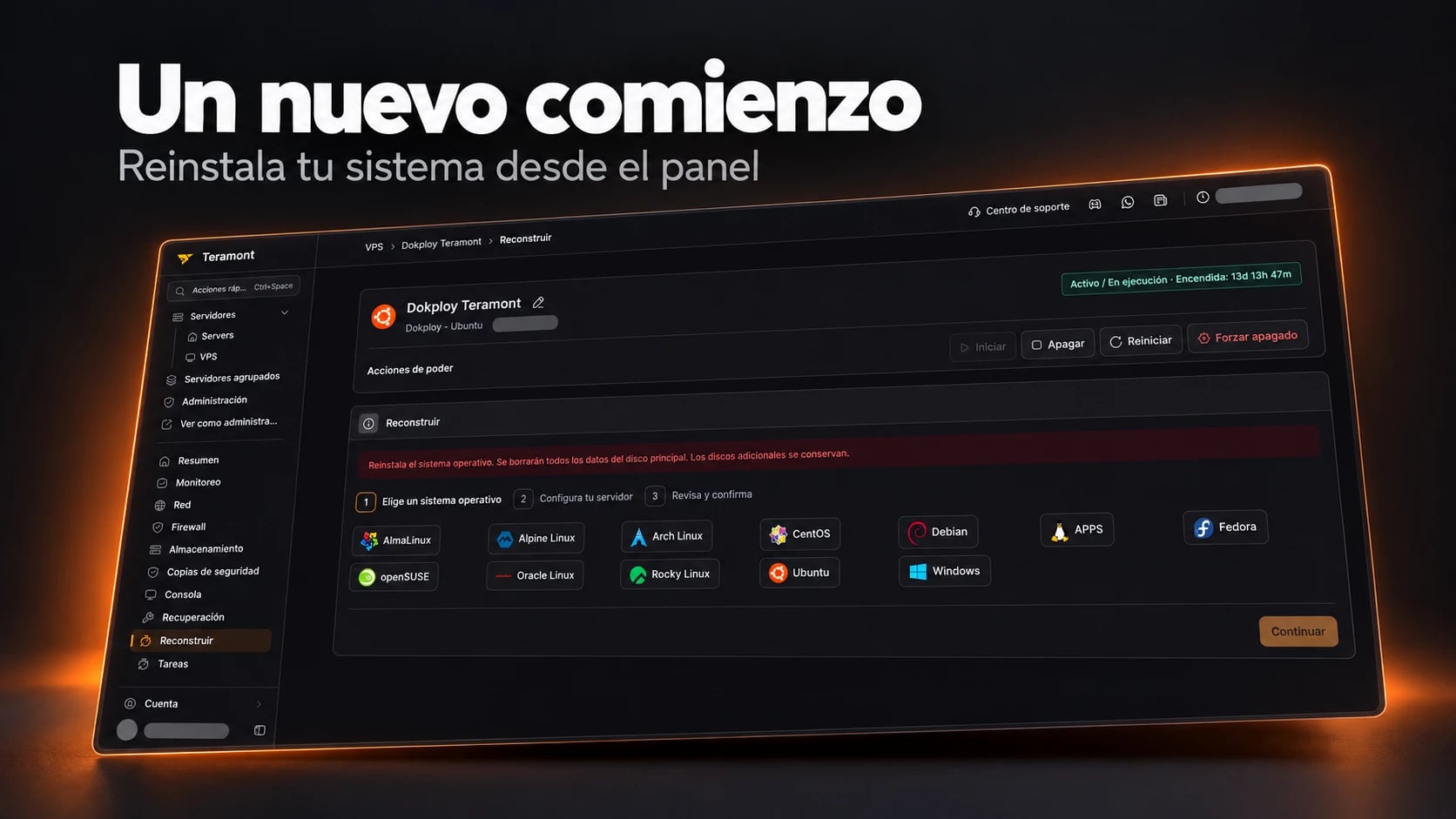
The rebuild wizard guides you through choosing an operating system, configuring the server and reviewing your choices.
Rebuilding reinstalls the operating system and deletes all data on the primary disk. Back up anything you need first. Additional disks are preserved, as the wizard explains.
How to sign in with Teramont Billing
You can continue through the usual client area or visit the new panel directly.
From the billing area
- Sign in at billing.teramont.net.
- Open the service you want to manage.
- Select Open control panel.
Directly from the panel
- Visit panel.teramont.net.
- Select the orange Iniciar sesión con Teramont Billing button at the bottom of the sign-in form, shown in the Spanish screenshot below.
- If you already have an active Billing session, you will sign in automatically. Otherwise, sign in to the billing area to continue.
You do not need to create another account to use this sign-in method.

Coming days: email alerts for your VPS
Our roadmap for the coming days includes threshold-based monitoring alerts. The plan is to let you configure email notifications when CPU, memory or network traffic exceeds a value you choose.
For example, you will be able to set a CPU usage threshold and receive an email when it is exceeded, without keeping charts open all day. These alerts are upcoming; they are not yet part of the available features shown here.
Our goal for the end of 2026: bring web hosting into the panel
Another major goal for the end of 2026 is to migrate management of all websites to this new panel, bringing web hosting together with VPS, games and bots.
Web hosting integration is on the roadmap and is not yet available as part of this announcement. We will share transition details as work progresses.
We are continuing to build an experience focused on your project, with access and tools in one panel.
Open the Teramont panel and sign in with Teramont Billing to explore the new experience with your services.