



Choosing the best Minecraft server plugins is not about filling the plugins folder with every JAR mentioned in a ranking. A good stack should solve specific problems: player administration, permissions, build protection, damage recovery, lag diagnosis, and version compatibility without turning every update into a gamble.
This list of 12 plugins is aimed primarily at Minecraft Java servers running Paper, Purpur, or Spigot, especially survival, SMP, network, and public community servers. We reviewed official documentation, download pages, and compatibility information on July 24, 2026. Before installing any JAR, confirm that its release supports your exact Minecraft and Java versions.
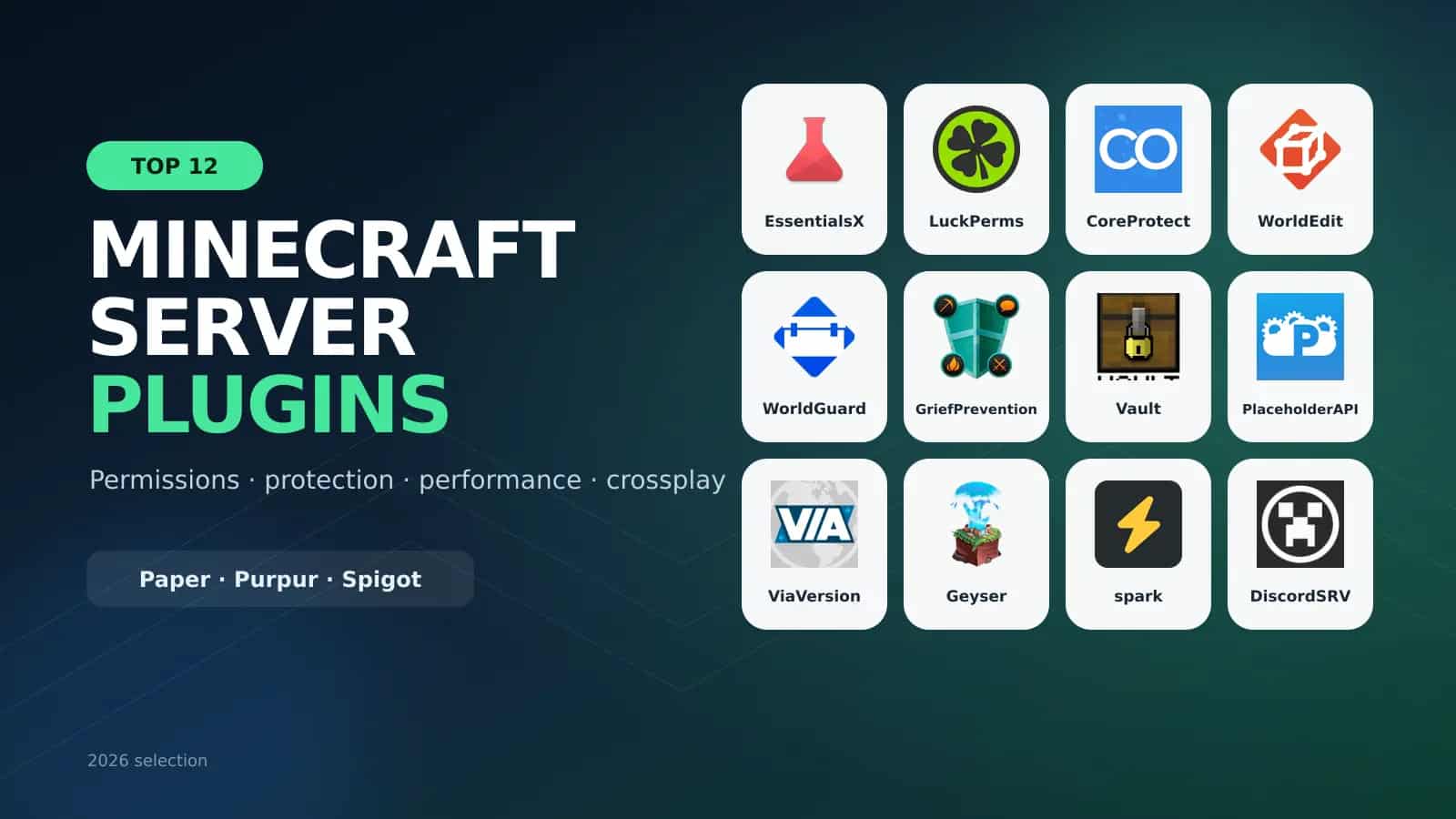
Quick answer: for a new survival server, start with EssentialsX, LuckPerms, CoreProtect, WorldEdit, WorldGuard or GriefPrevention, and spark. Add Vault, PlaceholderAPI, ViaVersion, Geyser, and DiscordSRV only when your project actually needs those integrations.
The best Minecraft server plugins in 2026
| Plugin | Main purpose | Best for | Essential? |
|---|---|---|---|
| EssentialsX | Commands and administration | Survival, SMP, networks | Yes, in most cases |
| LuckPerms | Permissions and ranks | Any public server | Yes |
| CoreProtect | Logging and rollback | Survival and communities | Highly recommended |
| WorldEdit | Large-scale world editing | Builders and admins | Project-dependent |
| WorldGuard | Region protection | Spawn, arenas, public zones | Highly recommended |
| GriefPrevention | Player land claims | Public survival | Project-dependent |
| Vault | Economy and chat bridge | Servers with shops | Only when required |
| PlaceholderAPI | Cross-plugin variables | Scoreboards, TAB, holograms | Design-dependent |
| ViaVersion | Client compatibility | Multi-version communities | Optional |
| Geyser | Bedrock–Java crossplay | Cross-platform servers | Optional |
| spark | Performance profiling | Every server | Highly recommended |
| DiscordSRV | Discord bridge | Communities and networks | Optional |
1. EssentialsX: essential commands and administration
EssentialsX provides more than 160 commands and features for servers of different sizes. It includes homes, warps, teleportation, kits, private messages, moderation, a basic economy, and utilities that would otherwise require several separate plugins.
It is an excellent foundation for survival and SMP servers, but you do not need every module. EssentialsX Chat, Spawn, Protect, and Discord are separate components. Install only the modules you need to avoid overlapping features.
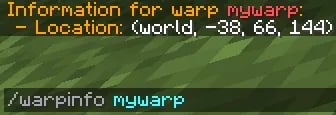
Official example of the EssentialsX /warpinfo command from the project's gallery.
Use it when: you need /home, /spawn, /warp, kits, moderation, and a basic economy. Pair it with LuckPerms instead of giving every player broad permissions.
2. LuckPerms: permissions, ranks, and contexts
LuckPerms controls which commands and features each player can use. You can build member, VIP, moderator, and administrator groups; inherit permissions; create temporary ranks; and apply rules by world, server, or context.
Its official web editor opens with /lp editor and makes permission reviews easier than editing data blindly. The project supports Paper, Spigot, Folia, Fabric, Forge, NeoForge, Velocity, and other platforms, making it suitable for proxy networks too.

Give your plugins room to perform
Deploy Paper or Purpur with a control panel, backups, DDoS protection, and scalable resources for your community.

Official LuckPerms branding. The project includes a web editor for groups, users, inheritance, and contexts.
Tip: avoid managing access with OP alone. Give every group only what it needs, and use LuckPerms verbose mode to identify permission checks made by other plugins.
3. CoreProtect: identify damage and roll griefing back
CoreProtect logs block changes, containers, liquids, explosions, interactions, and other activity. Its inspector shows who placed or removed a block, while rollback and restore commands can reverse damage by player, time, radius, world, or block type.
The default installation uses SQLite, with MySQL available for certain deployments. Large communities should monitor database growth and define a retention policy. Keeping every event forever is not a backup strategy.
Useful commands: /co inspect, /co lookup, /co rollback, /co restore, and #preview to review a rollback before applying it.
4. WorldEdit: build and edit maps at scale
WorldEdit is an in-game map editor. It can select regions, copy and paste structures, replace thousands of blocks, use brushes, manage schematics, and automate building tasks.
On production servers, restrict it to trusted builders and administrators. A wrong selection or massive operation can change more blocks than expected and create CPU, memory, or save spikes.

Official WorldEdit generation example published by EngineHub on the project's page.
Recommendation: back up the world before large operations and learn //undo. Review CoreProtect integration when editing protected production worlds.
5. WorldGuard: protect spawn, arenas, and important regions
WorldGuard protects regions and controls building, PvP, mob damage, TNT, fire, entry, exit, and item use. It is ideal for spawn, shops, arenas, events, and staff builds.
It requires the Bukkit edition of WorldEdit for region selections and runs on Bukkit-compatible servers such as Paper and Spigot; it does not run directly on the vanilla server. WorldGuard targets staff-managed regions, while GriefPrevention focuses on player-managed claims.
6. GriefPrevention: simple claims for players
GriefPrevention lets players protect land without asking an administrator to create every region. It provides self-service claims and can automatically protect a new player's first chest.
This is particularly useful for public survival servers because it reduces support tickets and build disputes. The project maintains legacy v16 and a v17+ line with significant changes, so check documentation and add-on compatibility before migrating.
Choose WorldGuard for staff-managed areas. Choose GriefPrevention for player bases and plots. Many servers use both with clearly separated responsibilities.
7. Vault: the economy, permissions, and chat bridge
Vault is an integration API. It does not add a visible store or currency by itself; it gives economy, permission, and chat plugins a common interface.
Install it when another plugin lists it as a dependency, such as a shop that needs to read an EssentialsX Economy balance. The official 1.7.3 release dates to 2020, so do not assume compatibility just because the server starts. Test purchases, sales, prefixes, and balances on your exact stack.
8. PlaceholderAPI: dynamic data in TAB, scoreboards, and holograms
PlaceholderAPI standardizes variables displayed by other plugins. Its expansions can expose a LuckPerms rank, Vault balance, online count, playtime, or server data to compatible scoreboards, TAB lists, and holograms.
The plugin does not bundle every placeholder automatically. Manage expansions through the Expansion Cloud, install them intentionally, and remove unused ones. A placeholder such as %luckperms_prefix% can become a player's rank in a compatible display plugin.
9. ViaVersion: let newer Java clients join
ViaVersion lets newer Minecraft Java clients connect to a compatible server running an older version. It is useful during update windows while critical plugins catch up.
It does not backport every new block, entity, or mechanic and is not a replacement for a real server upgrade. If you need older clients to enter a newer server, review ViaBackwards and keep all Via* components on the same release channel.
10. Geyser: Minecraft Bedrock and Java crossplay
Geyser translates traffic between Bedrock clients and a Java server. It can run as a plugin, mod, proxy, or standalone application. Floodgate can allow Xbox Live-authenticated users to join without a Java Edition account, depending on your setup.
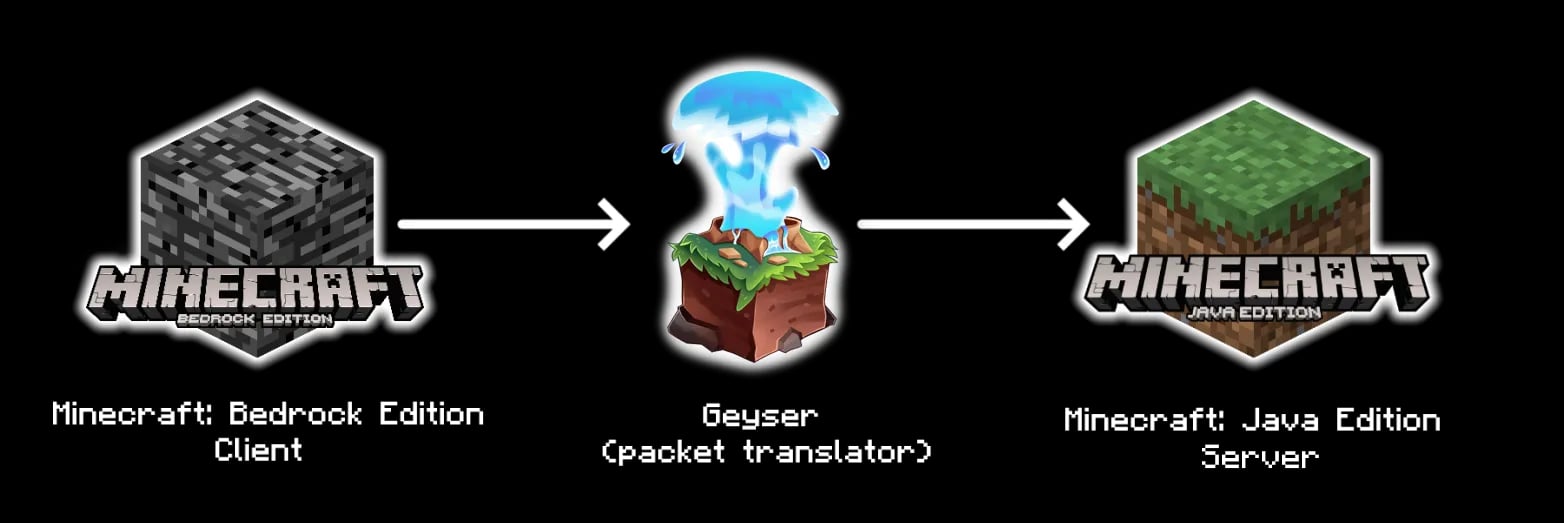
Official Geyser diagram: the software translates the Bedrock protocol so a Java server can process it.
Geyser accepts Bedrock connections over UDP, commonly on port 19132. Open and protect that port correctly, and do not share it with another UDP service. Compatibility changes when Mojang releases updates, so always check the official supported versions.
11. spark: find the actual source of lag
spark profiles Minecraft servers, clients, and proxies. It analyzes CPU use, memory, garbage collection, TPS, and tick times, then generates visual reports that identify expensive plugins or processes.
Instead of installing a generic “anti-lag” plugin that deletes entities at random, spark helps locate the real bottleneck. A 30-to-60-second profile captured during the issue is often more useful than global CPU usage alone.
Review a report before sharing it publicly because it may reveal the plugin list and environment details.
12. DiscordSRV: connect the server to Discord
DiscordSRV bridges Minecraft and Discord chats, sends events, can synchronize groups with roles, link accounts, and forward a console to a configured channel.
Console integration is powerful and dangerous. Keep it in a private channel, restrict bot permissions, and require two-factor authentication for staff. Never expose administrative commands in a public channel.
If you only need simple alerts, a webhook may be enough. Use DiscordSRV for two-way communication, role synchronization, or account linking.
Recommended plugins by server type
Survival or SMP server
- EssentialsX for commands and teleportation.
- LuckPerms for ranks and permissions.
- CoreProtect for grief investigations and rollbacks.
- GriefPrevention for player claims.
- spark for performance diagnosis.
- Vault and PlaceholderAPI only when the economy, TAB, or shop requires them.
Creative or building server
- WorldEdit for large edits.
- WorldGuard for plots, spawn, and showcase zones.
- LuckPerms to restrict tools by rank.
- CoreProtect to audit and reverse changes.
Network or cross-platform community
- LuckPerms with properly configured shared storage.
- ViaVersion at the proxy or location recommended by its documentation.
- Geyser and Floodgate for Bedrock access.
- DiscordSRV for community integration.
- spark on backends and the proxy when both need analysis.
How to install plugins on Paper or Purpur
- Stop the server completely.
- Back up worlds, configurations, and the plugins folder.
- Download the JAR from Hangar, Modrinth, the official website, or the repository linked by the developer.
- Confirm it is a Paper/Bukkit plugin, not a Fabric, Forge, or NeoForge mod.
- Place the
.jardirectly insideplugins/. - Install declared dependencies and keep only one version of each plugin.
- Start the server and review
logs/latest.log. - Run
/plugins. A red plugin name means it failed to enable. - Configure permissions and test features on a separate instance before production.
Security: Paper warns that plugins receive broad access to the server and the machine running it. Download only from trusted sources. A “free” JAR from a random mirror can become the most expensive plugin you ever installed.
Common plugin-selection mistakes
- Installing duplicate functionality: creates overlapping commands, listeners, and conflicting settings.
- Ignoring dependencies: Vault, WorldEdit, or PlaceholderAPI may be required for specific features.
- Updating directly in production: test with copies of worlds and databases first.
- Using “anti-lag” plugins without profiling: deleting mobs does not fix slow code, overloaded chunks, or GC pauses.
- Trusting download counts alone: check maintenance activity, documentation, issues, licenses, and compatibility.
- Using
/reloadfor everything: many plugins do not support full reloads safely; a restart is usually better.
Frequently asked questions
What is the best plugin for a Minecraft survival server?
There is no single winner. A balanced foundation usually combines EssentialsX, LuckPerms, CoreProtect, a protection system such as GriefPrevention, and spark. Add economy, crossplay, or Discord only when the server design needs them.
Do plugins work on a vanilla Minecraft server?
No. You need plugin-compatible software such as Paper, Purpur, or Spigot. The official vanilla server does not load Bukkit or Paper plugins.
Is Paper better than Spigot for plugins?
Paper retains broad Bukkit/Spigot compatibility while adding performance improvements and modern APIs. Many current projects recommend Paper, but always read the requirements of the specific plugin.
Are plugins and mods the same?
No. Plugins mainly run server-side on platforms such as Paper. Mods use loaders such as Fabric, Forge, or NeoForge and may require a client installation. For fully modified experiences, see our guide to the best Minecraft modpacks in 2026.
How much RAM do Minecraft plugins use?
There is no fixed amount. Usage depends on players, worlds, configuration, databases, and plugin behavior. Single-core CPU performance, storage, and tick time can matter as much as RAM. Measure with spark before upgrading blindly.
Conclusion: install less, configure better
The best Minecraft server plugins are actively maintained tools that solve a measurable need. EssentialsX, LuckPerms, CoreProtect, WorldEdit, WorldGuard, GriefPrevention, and spark provide a strong foundation. Vault, PlaceholderAPI, ViaVersion, Geyser, and DiscordSRV extend it when your design calls for them.
Before opening to players, create a test instance and verify logs, permissions, dependencies, and performance. If you need Paper or Purpur with a control panel, backups, and DDoS protection, Teramont Host Minecraft hosting lets you deploy quickly and scale resources as your community grows.